Rendering
Drawing and rendering nodes that produce visual output. These nodes turn your data into pixels on screen.
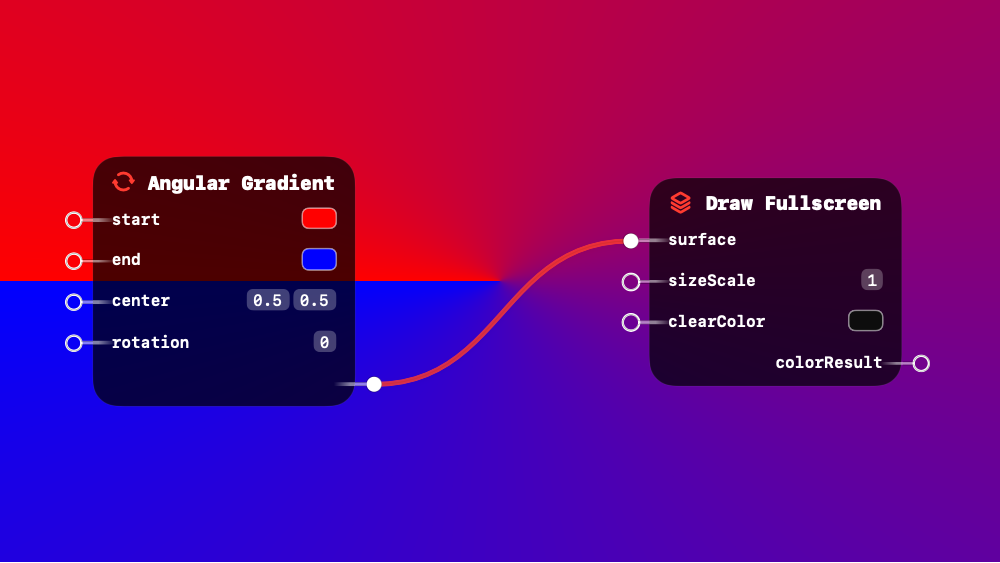
 Angular Gradient
UV-based conical sweep gradient. Rotates 360 degrees around center.
This is a surface shader node - it can be connected to rendering nodes.
Inputs:
| Name | Type | Default | Description |
|---|---|---|---|
| start | RGB Color / RGBA Color / 3D Vector / 4D Vector | RGB(1.00, 0.00, 0.00) | Starting color of the rotation |
| end | RGB Color / RGBA Color / 3D Vector / 4D Vector | RGB(0.00, 0.00, 1.00) | Ending color of the rotation |
| center | 2D Vector | (0.50, 0.50) | Center point in UV space — (0.5, 0.5) is the middle |
| rotation | Number | 0.00 | Offset angle to rotate the gradient start position |
Outputs:
| Name | Type | Description |
|---|---|---|
| result | polymorphic | Color swept 360 degrees around the center |
Related: Draw Fullscreen, Draw Geometry, Draw Viewport Quad, Four Corner Gradient, Horizontal Gradient
 Draw Fullscreen
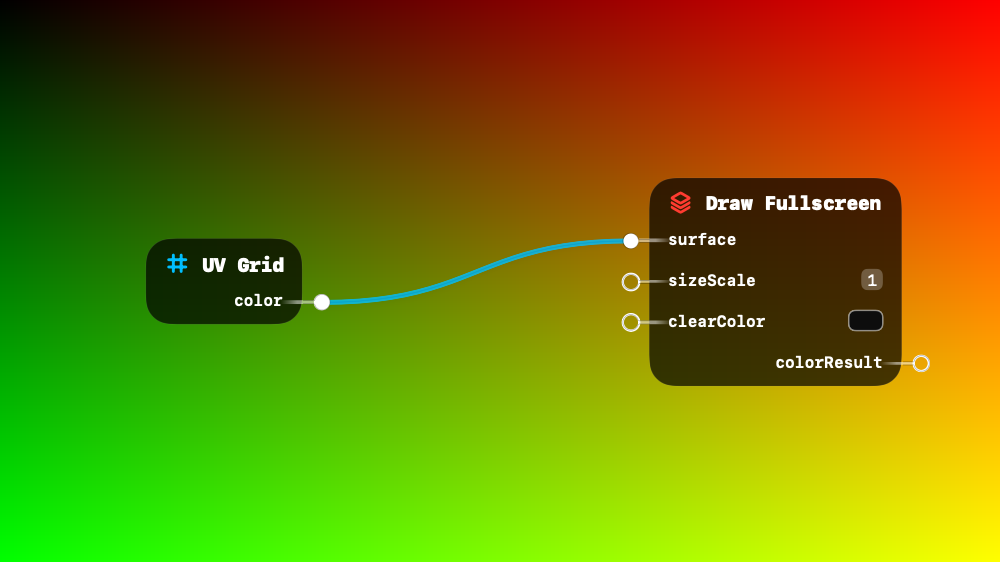
Fullscreen shader pass. Use for effects, filters, image generation, or compositing.
Inputs:
| Name | Type | Default | Description |
|---|---|---|---|
| surface | RGB Color / RGBA Color / 3D Vector / 4D Vector / Visual Output | black | Color or shader chain to render fullscreen |
| sizeScale | Number | 1.00 | Render resolution multiplier — 0.5 = half res, useful for blur or feedback |
| clearColor | RGB Color / RGBA Color / 3D Vector / 4D Vector | RGBA(0.05, 0.05, 0.05, 1.00) | Background clear color |
Outputs:
| Name | Type | Description |
|---|---|---|
| colorResult | Visual Output | Rendered texture — connect to chain effects or use as input elsewhere |
Related: Angular Gradient, Draw Geometry, Draw Viewport Quad, Four Corner Gradient, Horizontal Gradient
 Draw Geometry
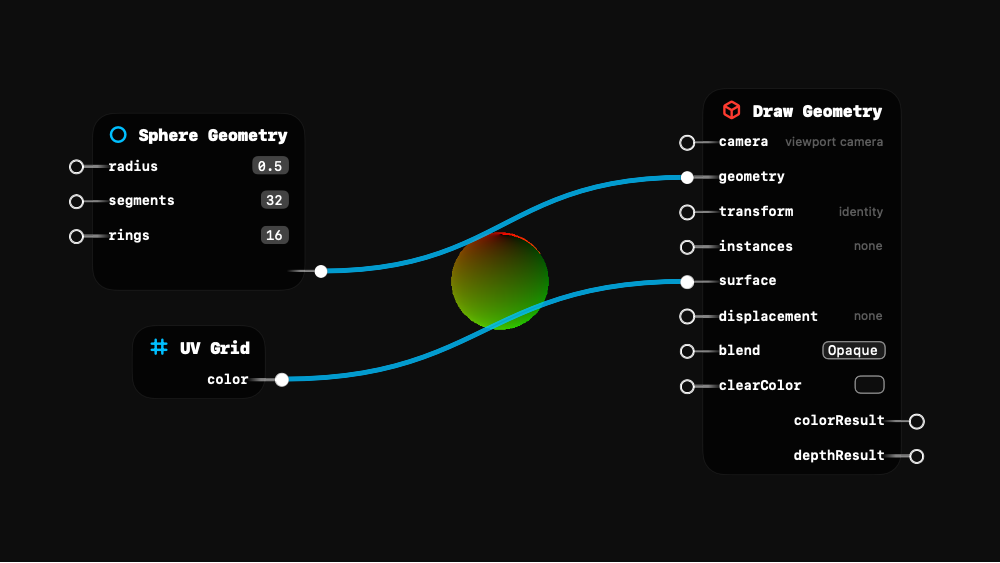
Render 3D mesh with surface shader. Optionally instance with Grid2D/3D. Connect outputs for offscreen rendering.
Inputs:
| Name | Type | Default | Description |
|---|---|---|---|
| camera | Transform Matrix | Viewport Camera | View-projection matrix from a camera node |
| geometry (required) | Geometry | empty | 3D mesh to render (Sphere, Plane, custom, etc.) |
| transform | 3D Vector / Transform Matrix | identity | World transform applied to the geometry |
| instances | 3D Vector / Transform Matrix | none | Instance transforms from builder chain (Grid2D/3D → Apply*) |
| surface | RGB Color / RGBA Color / 3D Vector / 4D Vector / Visual Output | Lambert | Surface shader or color for the material appearance |
| displacement | VertexDisplacement | none | Vertex displacement shader applied in local space |
| blend | Option | Opaque (options: Opaque, Alpha, Additive) | How this geometry composites with the scene |
| clearColor | RGB Color / RGBA Color / 3D Vector / 4D Vector | RGBA(0.05, 0.05, 0.05, 1.00) | Background clear color |
Outputs:
| Name | Type | Description |
|---|---|---|
| colorResult | Visual Output | Rendered color texture — connect to chain post-processing effects |
| depthResult | Visual Output | Rendered depth texture — use for depth-based effects like fog or DOF |
Related: Angular Gradient, Draw Fullscreen, Draw Viewport Quad, Four Corner Gradient, Horizontal Gradient
 Draw Viewport Quad
Fullscreen quad with surface shader. Handles camera and geometry internally. Connect surface for color, displacement for deformation.
Inputs:
| Name | Type | Default | Description |
|---|---|---|---|
| surface | RGB Color / RGBA Color / 3D Vector / 4D Vector / Visual Output | black | Color or shader chain for the quad surface |
| displacement | VertexDisplacement | none | Vertex displacement shader — deforms the quad grid |
| subdivisions | AudioStream / Boolean / RGB Color / RGBA Color / Option / Number / 2D Vector / 3D Vector / Float3x3 / 4D Vector / Transform Matrix / InstanceBuffer / Geometry / ParticleBuffer / String / Visual Output / UUID / VertexDisplacement | 1.00 | |
| clearColor | RGB Color / RGBA Color / 3D Vector / 4D Vector | RGBA(0.05, 0.05, 0.05, 1.00) | Background clear color |
Outputs:
| Name | Type |
|---|---|
| colorResult | polymorphic |
| depthResult | polymorphic |
Related: Angular Gradient, Draw Fullscreen, Draw Geometry, Four Corner Gradient, Horizontal Gradient
 Four Corner Gradient
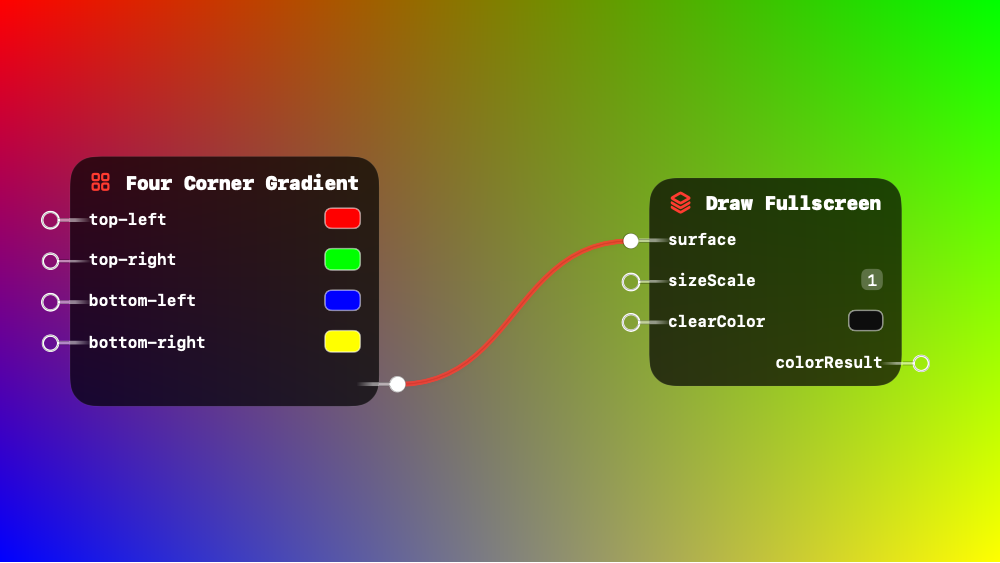
Bilinear blend of 4 corner colors across the quad.
This is a surface shader node - it can be connected to rendering nodes.
Inputs:
| Name | Type | Default | Description |
|---|---|---|---|
| top-left | RGB Color / RGBA Color / 3D Vector / 4D Vector | RGB(1.00, 0.00, 0.00) | Color at the top-left corner |
| top-right | RGB Color / RGBA Color / 3D Vector / 4D Vector | RGB(0.00, 1.00, 0.00) | Color at the top-right corner |
| bottom-left | RGB Color / RGBA Color / 3D Vector / 4D Vector | RGB(0.00, 0.00, 1.00) | Color at the bottom-left corner |
| bottom-right | RGB Color / RGBA Color / 3D Vector / 4D Vector | RGB(1.00, 1.00, 0.00) | Color at the bottom-right corner |
Outputs:
| Name | Type | Description |
|---|---|---|
| result | polymorphic | Bilinear blend of the four corner colors |
Related: Angular Gradient, Draw Fullscreen, Draw Geometry, Draw Viewport Quad, Horizontal Gradient
 Horizontal Gradient
Multi-stop horizontal gradient. Select number of color stops (2-8).
This node is polymorphic - it works with multiple input types automatically.
Inputs:
| Name | Type | Default | Description |
|---|---|---|---|
| stops | Number | 4.00 | Number of color stops (2–8) |
Outputs:
No outputs
Related: Angular Gradient, Draw Fullscreen, Draw Geometry, Draw Viewport Quad, Four Corner Gradient
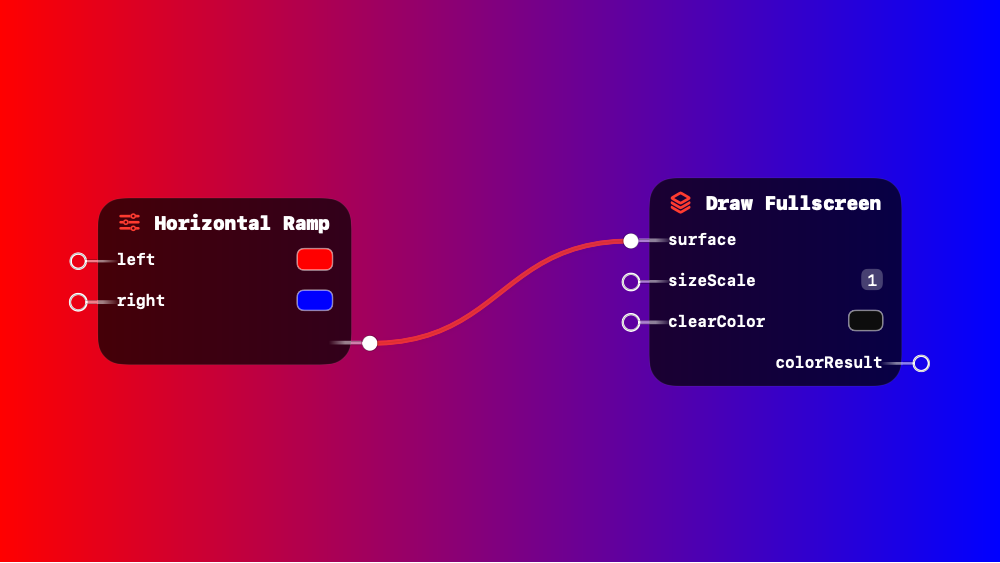
 Horizontal Ramp
UV-based horizontal gradient. Left color at UV.x=0, right at UV.x=1.
This is a surface shader node - it can be connected to rendering nodes.
Inputs:
| Name | Type | Default | Description |
|---|---|---|---|
| left | RGB Color / RGBA Color / Number / 2D Vector / 3D Vector / 4D Vector / Visual Output | RGB(0.20, 0.45, 1.00) | Color at the left edge (UV.x = 0) |
| right | RGB Color / RGBA Color / Number / 2D Vector / 3D Vector / 4D Vector / Visual Output | RGB(1.00, 0.20, 0.30) | Color at the right edge (UV.x = 1) |
Outputs:
| Name | Type | Description |
|---|---|---|
| result | polymorphic | Interpolated color based on horizontal position |
Related: Angular Gradient, Draw Fullscreen, Draw Geometry, Draw Viewport Quad, Four Corner Gradient
 Instance UV
UV from instance index. Each instance gets unique UV based on grid position.
This is a surface shader node - it can be connected to rendering nodes.
Inputs:
| Name | Type | Default | Description |
|---|---|---|---|
| resolution | 2D Vector | (32.00, 32.00) | Grid dimensions — instances are laid out in this many columns and rows |
Outputs:
| Name | Type | Description |
|---|---|---|
| uv | 2D Vector | Unique UV for each instance based on its grid position |
Related: Angular Gradient, Draw Fullscreen, Draw Geometry, Draw Viewport Quad, Four Corner Gradient
Lambert Material
Basic diffuse lighting with adjustable color, light direction, and ambient.
This is a surface shader node - it can be connected to rendering nodes.
Inputs:
| Name | Type | Default | Description |
|---|---|---|---|
| color | RGB Color | RGB(0.30, 0.60, 1.00) | Surface base color |
| light | 3D Vector | (0.50, 0.80, 1.00) | Light direction vector (top-right-forward default) |
| ambient | Number | 0.15 | Minimum lighting level applied everywhere |
Outputs:
| Name | Type | Description |
|---|---|---|
| result | Visual Output | Lit surface color |
Related: Angular Gradient, Draw Fullscreen, Draw Geometry, Draw Viewport Quad, Four Corner Gradient
 Missing Material
Pink checkerboard pattern indicating missing surface material. Used as default when no shader is connected.
This is a surface shader node - it can be connected to rendering nodes.
Inputs:
| Name | Type | Default | Description |
|---|---|---|---|
| scale | Number | 8.00 | Number of checkerboard tiles — higher = smaller squares |
Outputs:
| Name | Type | Description |
|---|---|---|
| result | Visual Output | Pink checkerboard pattern |
Related: Angular Gradient, Draw Fullscreen, Draw Geometry, Draw Viewport Quad, Four Corner Gradient
 Normals
Surface normal direction. Use for lighting, rim effects, fresnel.
This is a surface shader node - it can be connected to rendering nodes.
Inputs:
No inputs
Outputs:
| Name | Type | Description |
|---|---|---|
| normals | 3D Vector | Normalized surface direction — maps to rainbow colors when used as color |
Related: Angular Gradient, Draw Fullscreen, Draw Geometry, Draw Viewport Quad, Four Corner Gradient
 Positions
Fragment position in clip space. Use for depth or screen effects.
This is a surface shader node - it can be connected to rendering nodes.
Inputs:
No inputs
Outputs:
| Name | Type | Description |
|---|---|---|
| positions | 4D Vector | Fragment position in screen space (X, Y, depth, W) |
Related: Angular Gradient, Draw Fullscreen, Draw Geometry, Draw Viewport Quad, Four Corner Gradient
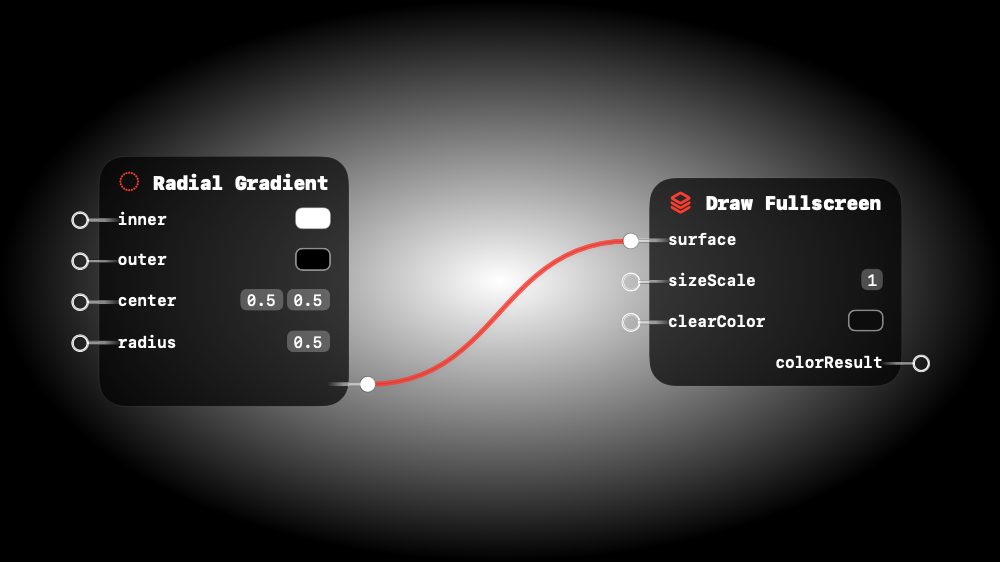
 Radial Gradient
UV-based circular gradient. Inner color at center, outer at edge.
This is a surface shader node - it can be connected to rendering nodes.
Inputs:
| Name | Type | Default | Description |
|---|---|---|---|
| inner | RGB Color / RGBA Color / 3D Vector / 4D Vector | RGB(1.00, 1.00, 1.00) | Color at the center point |
| outer | RGB Color / RGBA Color / 3D Vector / 4D Vector | RGB(0.00, 0.00, 0.00) | Color at the outer edge |
| center | 2D Vector | (0.50, 0.50) | Center point in UV space — (0.5, 0.5) is the middle |
| radius | Number | 0.50 | Distance from center to outer edge in UV units |
Outputs:
| Name | Type | Description |
|---|---|---|
| result | polymorphic | Blended color based on distance from center |
Related: Angular Gradient, Draw Fullscreen, Draw Geometry, Draw Viewport Quad, Four Corner Gradient
 Sample Texture
Sample texture at custom UV. Use with InstanceUV for per-instance colors.
This is a surface shader node - it can be connected to rendering nodes.
Inputs:
| Name | Type | Default | Description |
|---|---|---|---|
| uv | 2D Vector | zero | UV coordinates to sample at — overrides mesh UVs |
| texture | Visual Output | - | Texture or render output to sample from |
| mode | Option | Clamp (options: Wrap, Clamp, Mirror, Black) | How to handle UVs outside 0–1 range (Clamp, Repeat, Mirror) |
Outputs:
| Name | Type | Description |
|---|---|---|
| color | RGBA Color | Sampled color at the given UV coordinates |
Related: Angular Gradient, Draw Fullscreen, Draw Geometry, Draw Viewport Quad, Four Corner Gradient
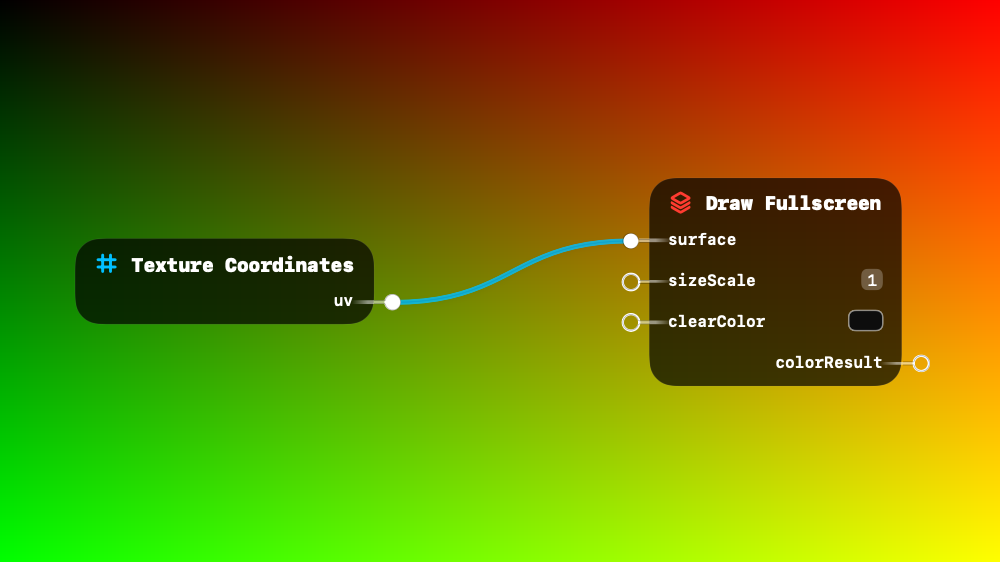
 Texture Coordinates
Fragment UV coordinates (0-1). Use for texture sampling or patterns.
This is a surface shader node - it can be connected to rendering nodes.
Inputs:
No inputs
Outputs:
| Name | Type | Description |
|---|---|---|
| uv | 2D Vector | UV coordinates (0–1) for the current fragment |
Related: Angular Gradient, Draw Fullscreen, Draw Geometry, Draw Viewport Quad, Four Corner Gradient
 Vertical Gradient
Multi-stop vertical gradient. Select number of color stops (2-8).
This node is polymorphic - it works with multiple input types automatically.
Inputs:
| Name | Type | Default | Description |
|---|---|---|---|
| stops | Number | 4.00 | Number of color stops (2–8) |
Outputs:
No outputs
Related: Angular Gradient, Draw Fullscreen, Draw Geometry, Draw Viewport Quad, Four Corner Gradient
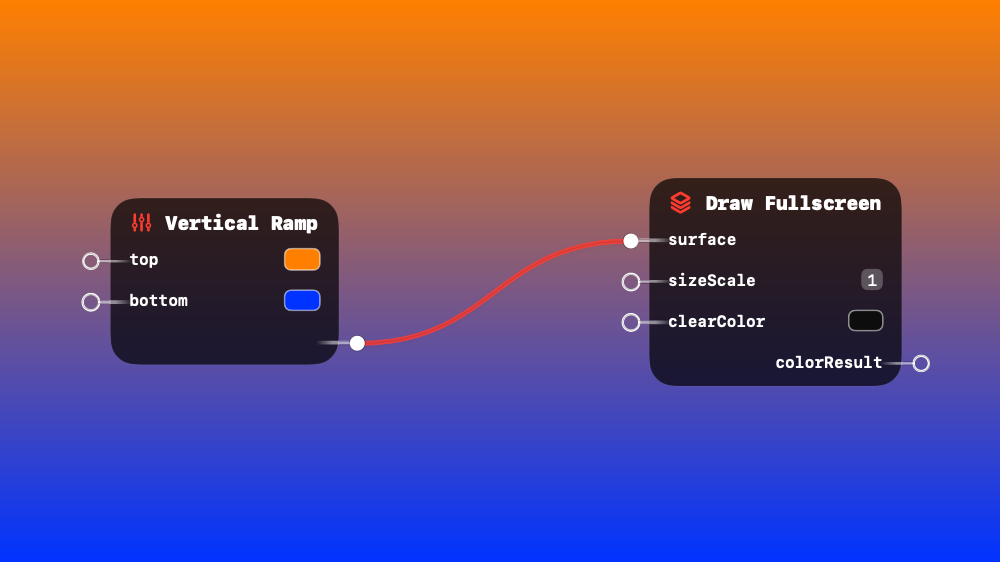
Vertical Ramp
UV-based vertical gradient. Top color at UV.y=0, bottom at UV.y=1.
This is a surface shader node - it can be connected to rendering nodes.
Inputs:
| Name | Type | Default | Description |
|---|---|---|---|
| top | RGB Color / RGBA Color / Number / 2D Vector / 3D Vector / 4D Vector / Visual Output | RGB(0.20, 0.45, 1.00) | Color at the top edge (UV.y = 0) |
| bottom | RGB Color / RGBA Color / Number / 2D Vector / 3D Vector / 4D Vector / Visual Output | RGB(1.00, 0.20, 0.30) | Color at the bottom edge (UV.y = 1) |
Outputs:
| Name | Type | Description |
|---|---|---|
| result | polymorphic | Interpolated color based on vertical position |
Related: Angular Gradient, Draw Fullscreen, Draw Geometry, Draw Viewport Quad, Four Corner Gradient